01
✓
Understand Git conflict markers, compare both sides of a merge, and practice resolving merge conflicts without breaking your history.
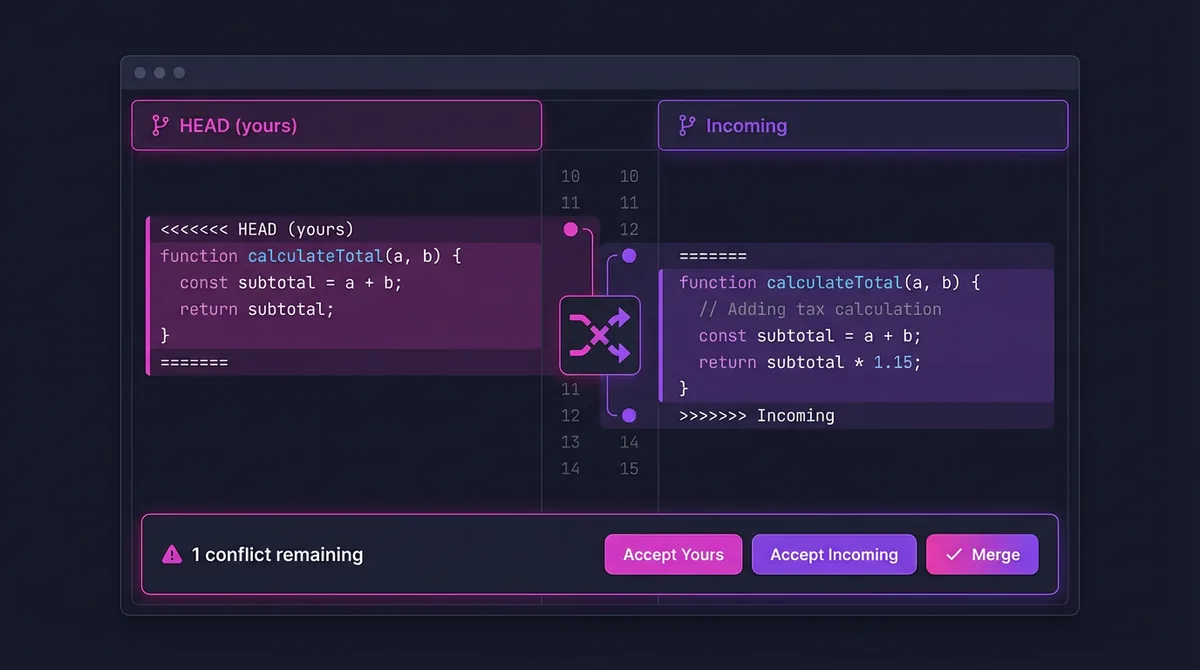
Conflict resolution flow
Open merge conflict challenge
01
Work from diverging branches so you can inspect a realistic merge failure.
02
Understand what HEAD, separator lines, and incoming branch sections really mean.
03
Edit the final content, stage the file, and complete the merge with a clean commit.
Resolve merge conflicts
Work from diverging branches so you can inspect a realistic merge failure.
Understand what HEAD, separator lines, and incoming branch sections really mean.
Edit the final content, stage the file, and complete the merge with a clean commit.
Strengthen branching first, then move into debugging and memory tools.
Learn Git branches with hands-on branch practice
Learn Git branching with guided branch practice. Create branches, switch context, and merge with confidence while the visual graph shows every pointer move.
Git practice game for commits, branches, and merges
Practice Git commands online in a visual playground. Make commits, create branches, and merge safely while training the same workflow used in real repositories.
GDB Learning
Powerful debugging for C/C++ programs with step-by-step execution, breakpoints and memory inspection.